Multilingual, privacy-first keyboard with modular language packs
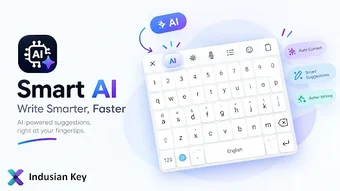
Indusian Key, from Indusian Technologies, is a multilingual mobile keyboard designed for private, lightweight typing and in-context language work. The app places prediction, translation, and optional AI writing tools directly inside the input method, letting users translate or refine text without switching apps. It uses downloadable language packs to keep the core small and targets multilingual users and privacy-conscious typists who need per-language support and integrated writing aids.
What the keyboard changes about typing and language access
The app replaces the system keyboard with a single input that combines typing, translation, and transliteration. It exposes context-aware next-word suggestions and smart input helpers for emails and domains while letting users invoke translation inside the keyboard. The result is a single interface for composing and converting text across scripts, useful for people who switch languages frequently.
How granular the language and feature control is
Control centres on a modular language-pack system that minimizes the core install. Language packs supply spelling, prediction, and layout data only when downloaded, so users pick which languages and AI features to enable. Adaptive touch behavior and optional AI writing assistance are toggleable, giving measured control over what the keyboard adds to each typing session.
What it does to device resources and background behaviour
The architecture keeps the base app lightweight while moving heavier capabilities into optional downloads. That design reduces initial storage and runtime footprint compared with bundling many languages by default. Voice typing uses the device’s standard speech recognition, which confines audio processing to the platform service rather than the keyboard itself.
How easy it is to start using and keep configured
Setup follows standard keyboard installation flows, with additional steps to fetch language packs or enable AI features. Transliteration and translation are available from the input surface without switching apps, while AI writing tools require explicit requests that use secure network calls. Users comfortable with basic keyboard settings can operate the app; downloading language data is the main extra step.
Compatibility and the privacy posture you get
The app runs on Android and integrates platform speech recognition for voice input. It declares a no-third-party-data-sharing policy and treats AI requests as explicit actions that use secure network connections. These points align the app with privacy-focused users who want in-keyboard translation and optional cloud-backed writing tools.
Who benefits from this keyboard and where to be cautious
The app is a practical choice for multilingual and privacy-minded users who need translation and writing assistance inside the input method. Its modular packs reduce local storage impact, and explicit AI requests limit continuous network inference. Users who prefer an all-in-one language bundle or who want entirely offline AI refinement should verify available offline packs before relying on the app as a sole solution.